
Trip planning takes far longer than most people expect — and the best app to plan a trip can cut that time down significantly.
Between comparing destinations, saving places, building a daily itinerary, checking transport options, and keeping everything organized in one place, planning a trip can easily take several hours even for a short getaway. The right app removes most of that friction before your trip even starts.
This guide covers the best apps to plan a trip faster, what each one does well, and how to use them together for a complete planning workflow.
The best app to plan a trip: what to look for
Not every travel app saves time in the same way. The most useful ones tend to do one or two things exceptionally well rather than trying to cover everything.
When looking for the best app to plan a trip, the most important factors are how quickly it helps you organize places and routes, whether it keeps your plans in one accessible location, and how well it handles the specific part of planning that takes you the longest.
For most people, that bottleneck is either organizing saved places into a logical route, building a structured day-by-day itinerary, or figuring out transport between destinations. Different apps solve each of these problems better than others.
Google Maps — best for saving places and visualizing routes
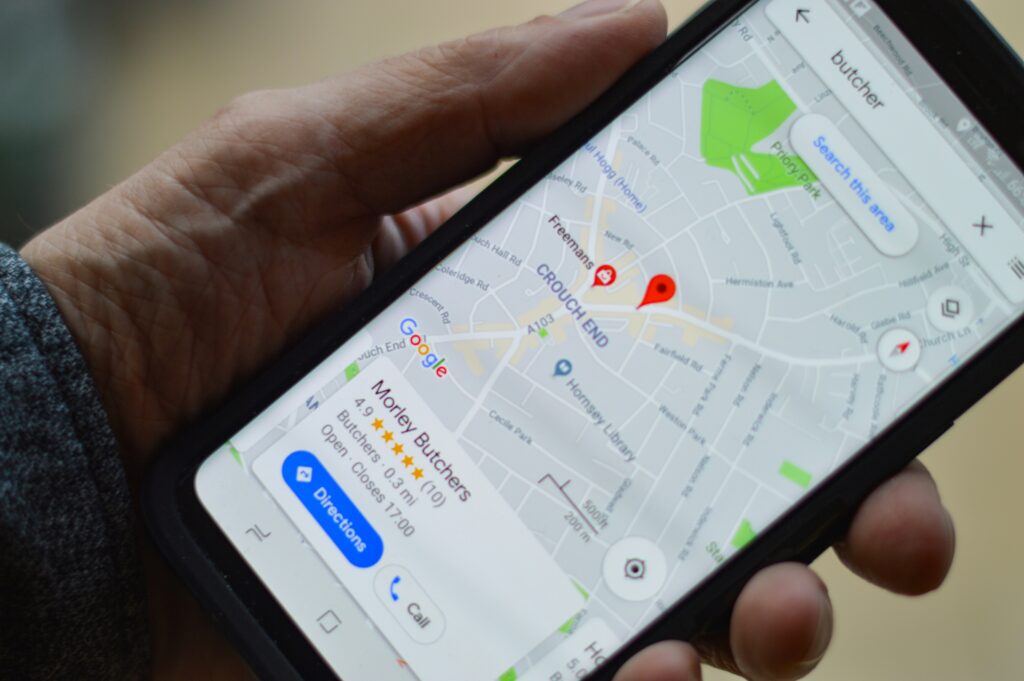
Google Maps remains one of the best apps to plan a trip for the early stages of research and organization.
Its most useful planning feature is the ability to create saved lists. You can search for restaurants, landmarks, hotels, attractions, and activities, then save them into named lists — for example, “Tokyo Day 1” or “Places to Eat in Lisbon.” Once saved, all of these locations appear as pins on your map, which lets you see at a glance how far apart they are and how to group them logically by area.
This visual overview is one of the fastest ways to avoid the common problem of planning a day that involves constant back-and-forth travel between locations that could have been grouped together.
Google Maps is also useful for checking opening hours, reading reviews, seeing photos, and getting walking or transit directions between stops — all without switching to another app.
Best for: saving and organizing places, visualizing routes, checking distances between stops Website: https://maps.google.com Available on: Web, iOS, Android
Wanderlog — best for building a full day-by-day itinerary
Wanderlog is one of the best apps to plan a trip when you need more structure than a saved list can provide.
It lets you build a complete itinerary organized by day, with each stop mapped visually so you can see the route for each day of your trip. You can add flights, hotels, restaurant bookings, and activity notes all in one place, and the app automatically plots everything on a map so you can see how your schedule flows geographically.
One of Wanderlog’s most useful features is the ability to import bookings directly from confirmation emails, which saves significant time when you are organizing an existing set of reservations into a coherent plan.
It also works well for collaborative trip planning. If you are travelling with others, you can share the itinerary and allow everyone to add and edit stops, which removes the back-and-forth of coordinating plans over messages.
Wanderlog has a free version that covers most of what a typical trip requires, with a paid tier for additional features.
Best for: multi-day itinerary planning, organizing flights and hotels, collaborative trip planning Website: https://wanderlog.com Available on: Web, iOS, Android

Rome2Rio — best for comparing transport options between destinations
Rome2Rio is the best app to plan a trip when transport decisions are slowing down the rest of your planning.
It solves one specific problem very well: given two locations anywhere in the world, it shows you every realistic way to get between them — including flights, trains, buses, ferries, and driving — along with estimated travel times and typical price ranges for each option.
This is particularly useful for international trips where you are not familiar with the local transport system and need to quickly understand whether a particular route is better done by train or by flying, or whether there is a direct bus that avoids a connection.
Rather than opening multiple tabs to check flights on one site, trains on another, and buses on a third, Rome2Rio gives you a single overview that makes the decision much faster.
Best for: comparing transport options between cities, international route planning, estimating travel times Website: https://www.rome2rio.com Available on: Web, iOS, Android

Tripadvisor — best for researching attractions and reading reviews
Tripadvisor is useful as a research tool during the early stages of deciding what to include in a trip.
Its strength is the depth of its review database. For most destinations around the world, you can find detailed traveller reviews for attractions, restaurants, tours, and accommodation, along with practical information like opening hours, ticket prices, and tips from people who have recently visited.
Using Tripadvisor to identify the places worth including in your itinerary, and then transferring those to Google Maps or Wanderlog for actual planning, is a workflow that saves considerable time compared to searching for reviews individually.
Best for: researching destinations, reading traveller reviews, finding activities and restaurants worth visiting Website: https://www.tripadvisor.com Available on: Web, iOS, Android

How to use these apps together for faster trip planning
The most efficient approach to trip planning is to use each app for what it does best rather than trying to find one app that does everything.
A practical workflow for using the best apps to plan a trip together looks like this:
Start with Tripadvisor to research which attractions, restaurants, and experiences are worth including. Read reviews and make a shortlist of places you want to visit.
Move to Google Maps to save those places into lists organized by area or day. Use the map view to check distances and group nearby locations together logically.
Use Rome2Rio to sort out transport between major destinations, especially for multi-city or international trips where you need to compare flight, train, and bus options.
Build the final day-by-day schedule in Wanderlog, using your Google Maps lists and Rome2Rio transport decisions as the input. Add hotel and flight bookings, set the daily order of stops, and share the plan with anyone travelling with you.
This combination covers every stage of planning from initial research to a finished itinerary, and each tool does its part faster than any single app could manage alone.
Other travel apps worth knowing
A few additional tools are worth keeping on hand depending on your travel style.
Skyscanner (skyscanner.com) is useful for monitoring flight prices and finding the cheapest dates to fly, particularly if your travel dates are flexible.
Google Translate (translate.google.com) is still one of the most practical tools for international travel, especially its camera mode which can translate text in real time from signs, menus, and documents.
Maps.me is worth downloading if you are travelling somewhere with unreliable mobile data, as it provides fully offline maps with navigation for most destinations worldwide.
Final thoughts
The best app to plan a trip depends on which part of planning takes you the longest. Google Maps is the strongest tool for organizing saved places and visualizing routes. Wanderlog is the best option for building a structured itinerary. Rome2Rio is the fastest way to sort out transport between destinations. Tripadvisor is the most useful starting point for researching what is worth seeing.
Used together, these apps cover the full planning process and make it significantly faster than relying on browser tabs, notes apps, and scattered bookmarks.
For more practical travel tools, take a look at our guide on How to Save Your Parking Location in Google Maps.